'/%3E%3C/svg%3E)


'/%3E%3Cpath%20fill='%23b2b2b2'%20d='M241%20382q0%2016%2017%2026%2017%2011%2042%2011t42-11q16-11%2017-26V269H241'/%3E%3Cpath%20fill='%239f7e00'%20d='M241%20379q0%2014%208%2023%209%209%2021%209%2014%200%2021-9%209-9%209-23V269h-59'/%3E%3Cpath%20d='M241%20339v-70h59v110q0%2014-9%2023l-6%205v-68h-15v72q-8%200-14-4v-68zm59%2040c0%2022%2015%2032%2029%2032%2021%200%2030-18%2030-32v-40h-59'/%3E%3Cpath%20fill='%239f7e00'%20d='M266%20277v5h2v12h-3v-5h2v-5h-9v5h2v5h-4v9h3v18h-5v10h34v-10h-5v-18h3v-9h-4v-5h2v-5h-9v5h2v5h-3v-12h2v-5zm42%20101q0%2010%206%2017%206%206%2015%207%2010-1%2016-7%206-7%206-17v-29h-43'/%3E%3Ccircle%20fill='%230044ad'%20cx='329.5'%20cy='372'%20r='6'/%3E%3Cellipse%20fill='%230044ad'%20cx='300'%20cy='340'%20rx='16'%20ry='21'/%3E%3C/svg%3E)
'/%3E%3C/g%3E%3Cuse%20href='%23c'%20transform='matrix(-1%200%200%201%20720%200)'/%3E%3C/svg%3E)


Xerox® Workplace Cloud and Suite
in SolutionsFax: 919293929199

Securely manage your printing and access — on-premise or in the cloud.
In today’s world of remote work, hybrid environments, and increased security demands, Xerox® Workplace Solutions helps you take back control of your printing and data.
Choose the hosting option that best fits your organization — on-premise or cloud-based — and benefit from a unified, modular solution that’s easy to manage.
Authentication, security, mobile printing, usage tracking — everything is centralized within a single, scalable platform.
Two flexible options are available to meet your specific needs…
Xerox® Workplace Cloud – Print Management

The turnkey cloud solution to streamline your print management — no local infrastructure required.
- Fully hosted by Xerox — no servers to deploy, no complex setup, just simplified management.
- Universal mobile printing — print from iOS, Android, Windows, macOS, Chromebook, and more.
- Secure authentication — supports badge, PIN, mobile device, and integrated SSO.
- Comprehensive print tracking and reporting — for both in-office and remote employees (via Home Worker Print Tracker).
- Cloud-based dashboard — centralized printer fleet management made easy.
Ideal for: multi-site organizations, businesses with a distributed workforce, and companies without dedicated IT support.
Xerox® Workplace Cloud – Fleet Management*

Manage your fleet through the cloud and benefit from task automation and enhanced security.
Proactive Monitoring
- Automatically monitors printer meters for low toner events and alerts to maximize uptime.
- Performance dashboards to visualise data and act on it.
Xerox® Printer Security Audit Service
- Printer security configuration management and compliance.
- Policy enforcement with automatic remediating of settings.
- Management of printer password, firmware and certificates to automate IT security tasks.
*Available with Management Print Services Only
Xerox® Workplace Suite
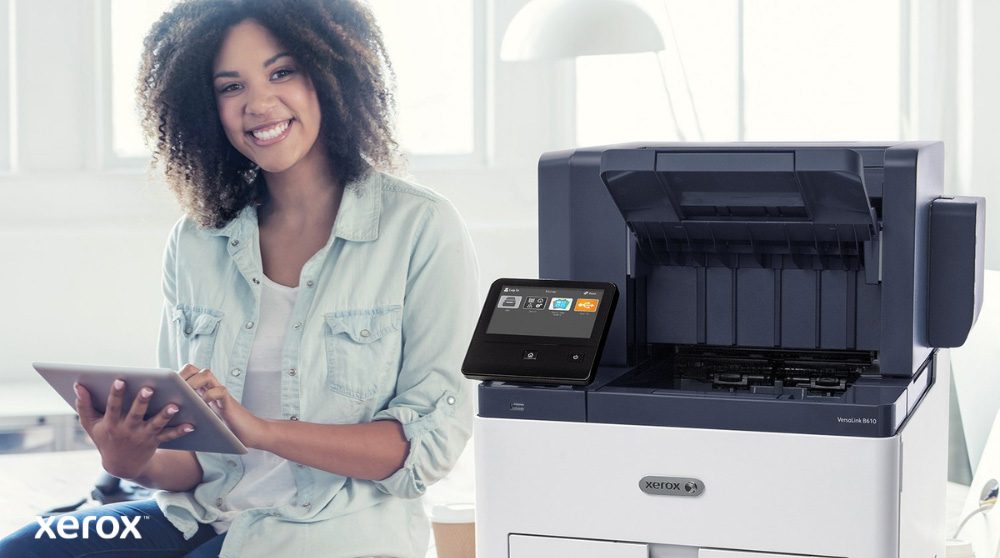
The on-premise solution for full control over your data and infrastructure.
- Installed on your own local server (on-site).
- Mobile access and secure pull printing.
- Customizable print workflows with rule enforcement — enabling cost control, access restrictions, and compliance with internal policies.
- Content security feature: real-time alerts when users attempt to print sensitive documents (e.g., Confidential, Internal Use Only, etc.).
- Detailed usage analytics to monitor costs and allocate printing by project, department, or user.
Ideal for: organizations with strict confidentiality protocols, GDPR compliance requirements, and a preference for local data ownership and control.
Features common to both solutions
- Authentication via card, badge, PIN or mobile device.
- Mobile printing (via app, email, AirPrint, Mopria…).
- Secure printing: release upon user authentication.
- Cost tracking and detailed reporting.
- Multi-site / multi-user management.
- Compatible with Xerox AltaLink® / VersaLink® printers.
Whether you prefer local management or remote administration, Xerox® Workplace Solutions adapts to your organization.
Gain visibility, security, and productivity — with no compromise.
How does it work?
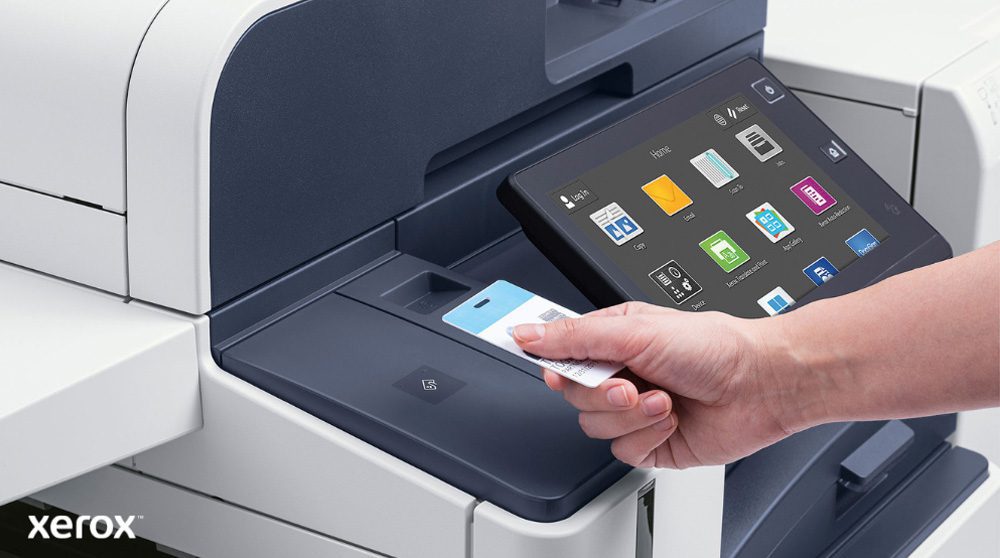
Implementing Xerox® Workplace Solutions is simple, fast and IT-friendly.
- Connect your printers: From Xerox AltaLink® or VersaLink® devices — locally or via the cloud.
- Deploy the solution: Install on-premise (Workplace Suite) or choose Xerox-hosted deployment (Workplace Cloud). No additional hardware required.
- Create user profiles: Synchronize with Active Directory or configure manually.
- Set rules and access controls: Manage user groups, define limits, and enable secure authentication via badge or mobile device.
- Start printing: Print securely from a PC, mobile device, Chromebook, or app — with authenticated release.
- Monitor and optimise: Track usage, reduce waste, and fine-tune policies through intuitive dashboards.